How much does it cost to add more sending capacity?
Inboxes bill monthly, domains yearly, with exact prices at checkout. Size your purchase from list and sequence length.
Inboxes bill monthly and domains bill yearly, with exact prices shown at checkout. Each domain comes with 3 inboxes, and each inbox adds up to 35 campaign emails a day.
What adding capacity costs
Two recurring charges, both shown with exact prices at checkout before you pay:
- Inboxes bill monthly, per inbox.
- Domains bill yearly, per domain. Every domain purchased through the platform comes with exactly 3 inboxes, so adding capacity means adding domains in steps of 3 inboxes.
At checkout you'll see a monthly inbox subtotal, a yearly domain price, and a Recurring total in the form $X/mo + $Y/yr. The exact row labels differ slightly between the pre-warmed and Done-For-You flows.
Subscriptions renew on the 15th of each month, and inbox purchases are not refundable. See Buying inboxes for the full walkthrough of both purchase options.
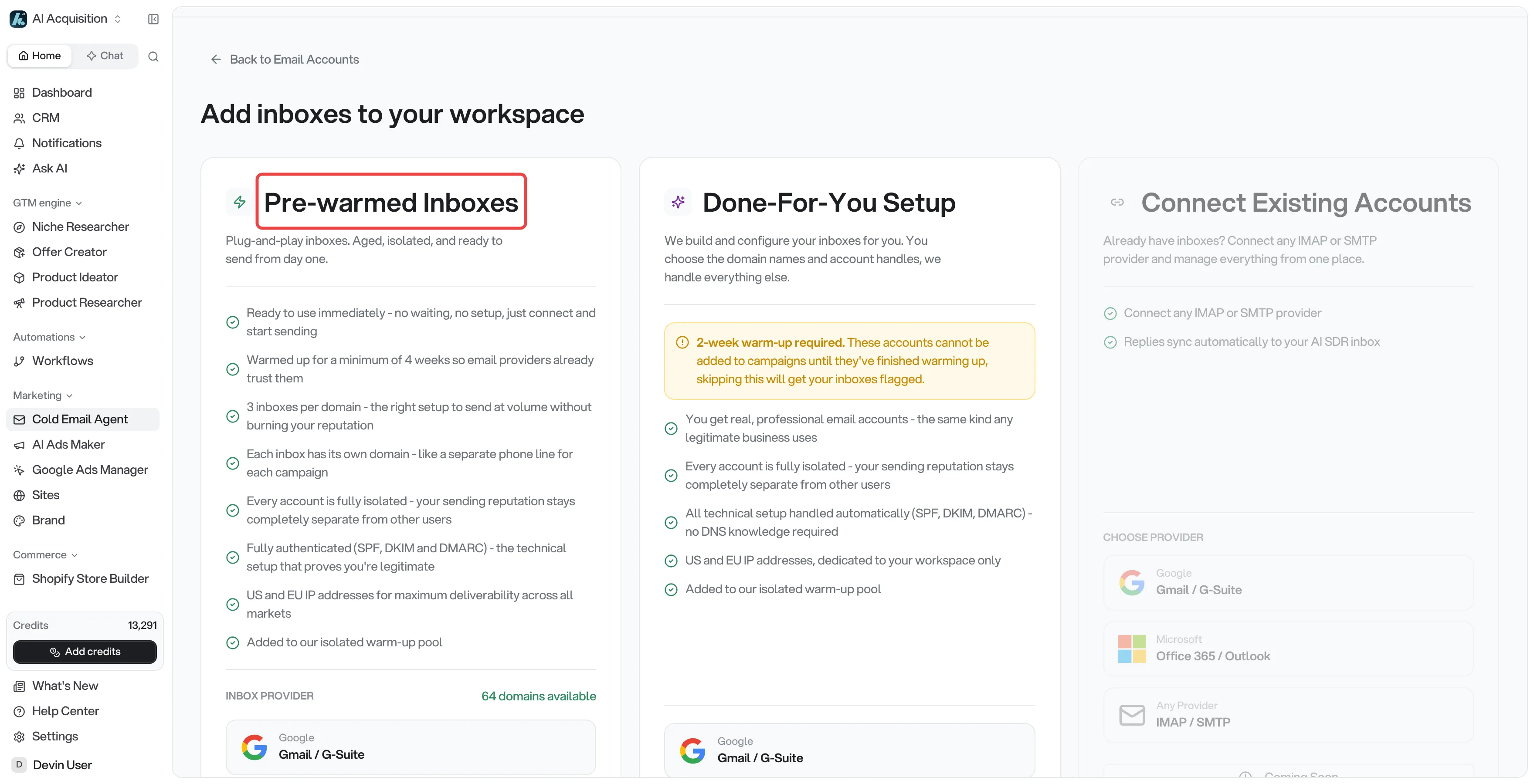
To see current prices for your workspace, open the buying flow: go to Cold Email Agent → Email Accounts and click Add New Inboxes in the top right.
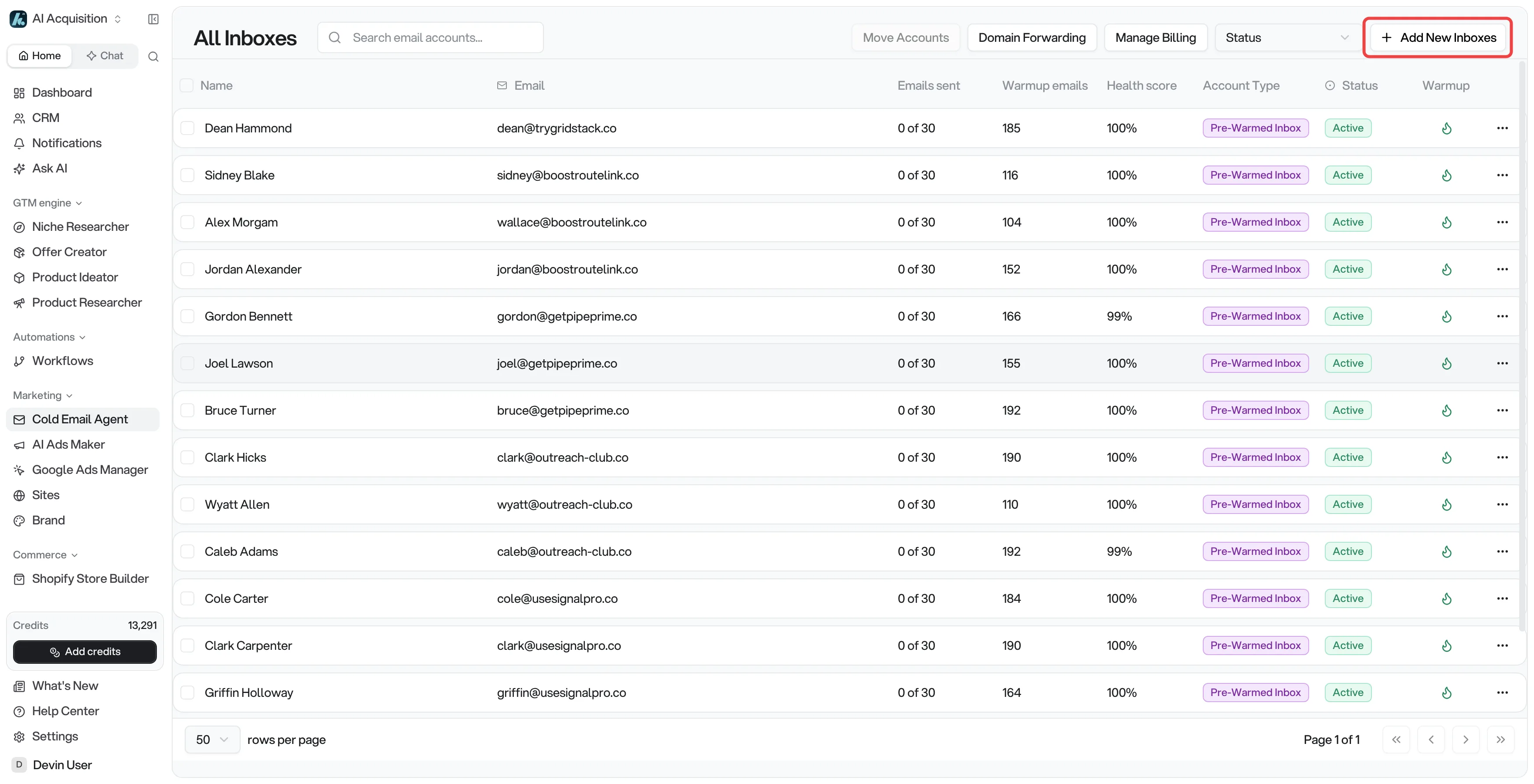
If you don't see the button, an order is still being set up. The provisioning panel on the same page shows its progress, and the button comes back once that order finishes.
Pick Pre-warmed Inboxes (ready to send the same day) or Done-For-You Setup (you choose the domain name, then ~2 weeks of warmup). Pricing updates live as you select domains, so you can see the exact total for any quantity before committing.
How much capacity each inbox adds
An inbox sends at most 35 campaign emails per day. That's a hard platform cap; the platform can hold a specific inbox below it to protect deliverability.
The Emails sent column on the Email Accounts page reads X of Y for each inbox, like 12 of 35. Size your purchase at 35 a day per inbox.
So your workspace's total daily capacity is roughly:
inboxes × per-inbox daily limit = emails per day
For example, 30 inboxes at 35 a day gives about 1,050 campaign emails per day, spread across all your campaigns.
How sequences consume capacity
Every email in a sequence counts against the same per-inbox daily limit, not only first emails. Follow-up steps only go to contacts who haven't replied, but each one that sends uses a slot from that day's capacity.
The platform caps new contacts at roughly 70% of a campaign's daily sends and leaves the rest for follow-ups. That cap applies whether your sequence has one step or seven, so plan new-contact throughput at about 70% of your total daily capacity.
Worked example: you have 30 inboxes, so about 1,050 sends per day. With roughly 70% going to new contacts, you reach about 735 new contacts per day.
A 100,000-contact list at that pace takes around 136 sending days to get everyone their first email, and the remaining sequence steps continue after that. Doubling to 60 inboxes roughly halves that timeline.
To move faster, add inboxes: capacity scales linearly, and since each domain carries 3 inboxes, 30 more inboxes means 10 more domains.
Don't forget lead credits for bigger lists
Sending capacity gets emails out; lead credits pay for sourcing the contacts themselves (one credit = one lead from the AI lead finder). If you're scaling up to work through a much larger list, check your credit balance covers the leads you plan to source. Credits and inbox/domain charges are billed separately.
Related
- Buying inboxes - full walkthrough of the pre-warmed and Done-For-You purchase flows
- How do I distribute volume across multiple inboxes and campaigns? - keeping total volume under capacity
- Can I set a per-inbox daily sending limit? - how the per-inbox cap works
- Billing - how inbox, domain, and credit charges appear on your bill