AI SDR · FREQUENTLY ASKED QUESTIONS · INBOX REPLIES
How do I re-enable the AI SDR after a human takeover?
Re-enable AI SDR automation after taking over or reviewing an escalated thread.
A thread moves to human takeover as soon as you send a reply yourself from the inbox. You don't have to click anything. Once that happens, the control at the top shows AI SDR Disabled.
- Open the conversation thread in AI SDR Inbox
- Find the AI SDR Disabled button at the top of the thread
- Click AI SDR Disabled to re-enable automation
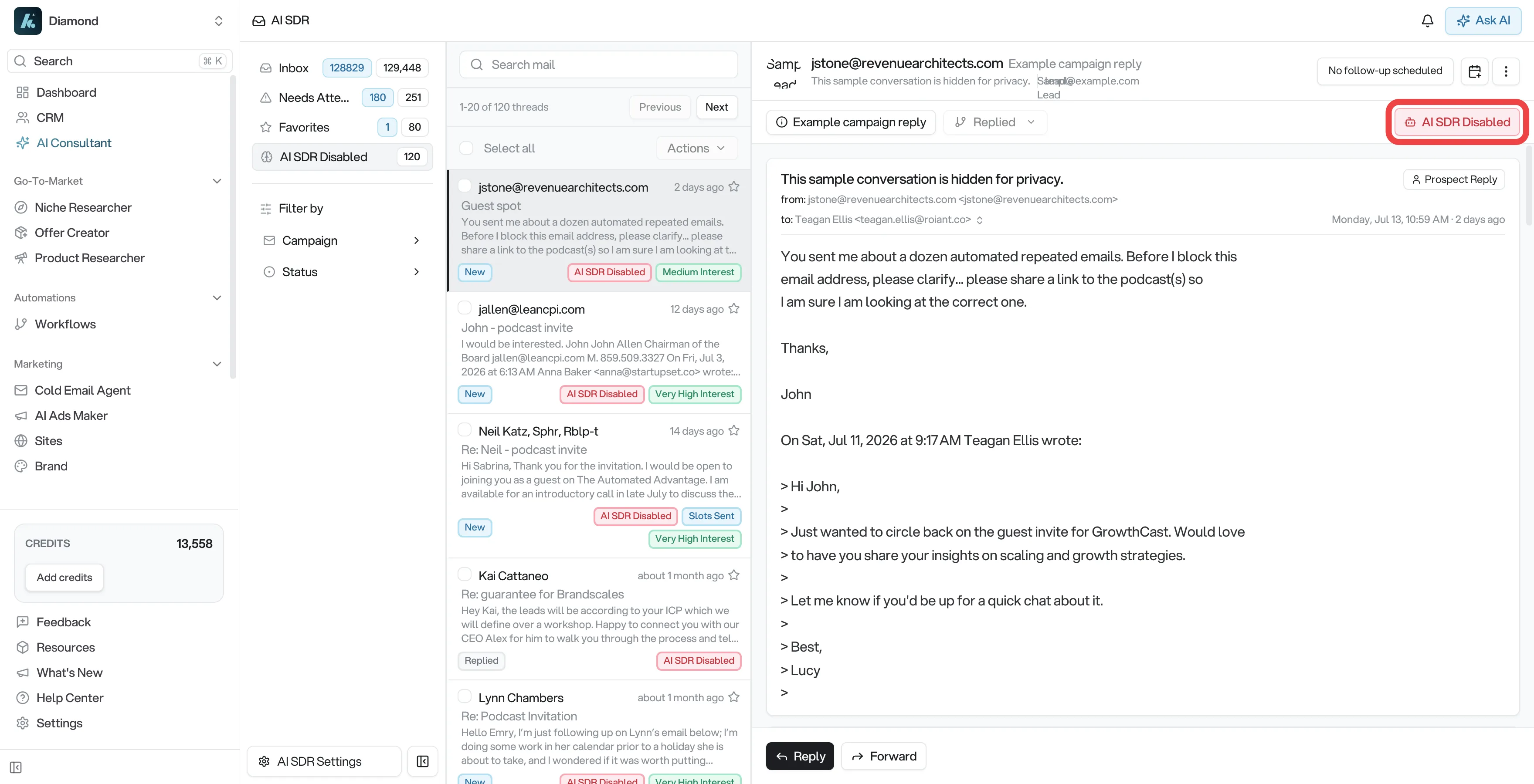
If the thread is escalated, click Resume AI SDR instead. The X on the Escalated for Review banner only dismisses the warning; it does not resume automation.
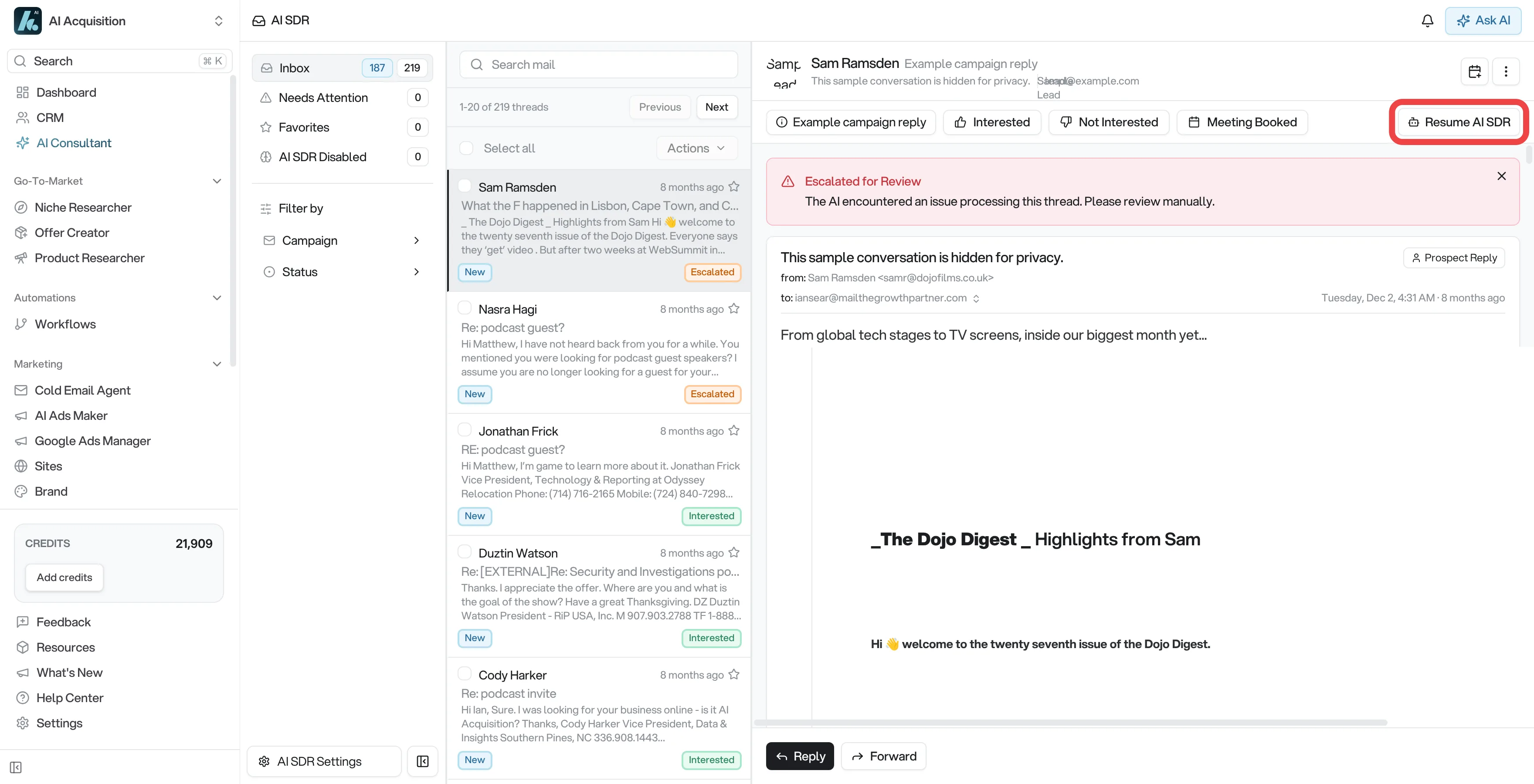
The AI SDR will resume handling the thread. However, it may not immediately respond. The AI typically picks up the thread when:
- A new reply from the prospect arrives, OR
- The next scheduled follow-up is triggered
If the AI SDR still doesn't respond after re-enabling and a new prospect reply comes in, click Disable AI SDR, then click AI SDR Disabled to re-enable it. If the issue persists, contact support.