AI SDR · FREQUENTLY ASKED QUESTIONS · CONFIGURATION
Why are my leads showing as "AI SDR Disabled"?
Fix leads showing AI SDR Disabled by checking workspace, campaign, and thread controls.
When leads appear as AI SDR Disabled in the inbox, it means the AI SDR is not monitoring or replying to those threads. Check the workspace, campaign, and thread controls to find where automation was disabled.
Check the workspace-level toggle
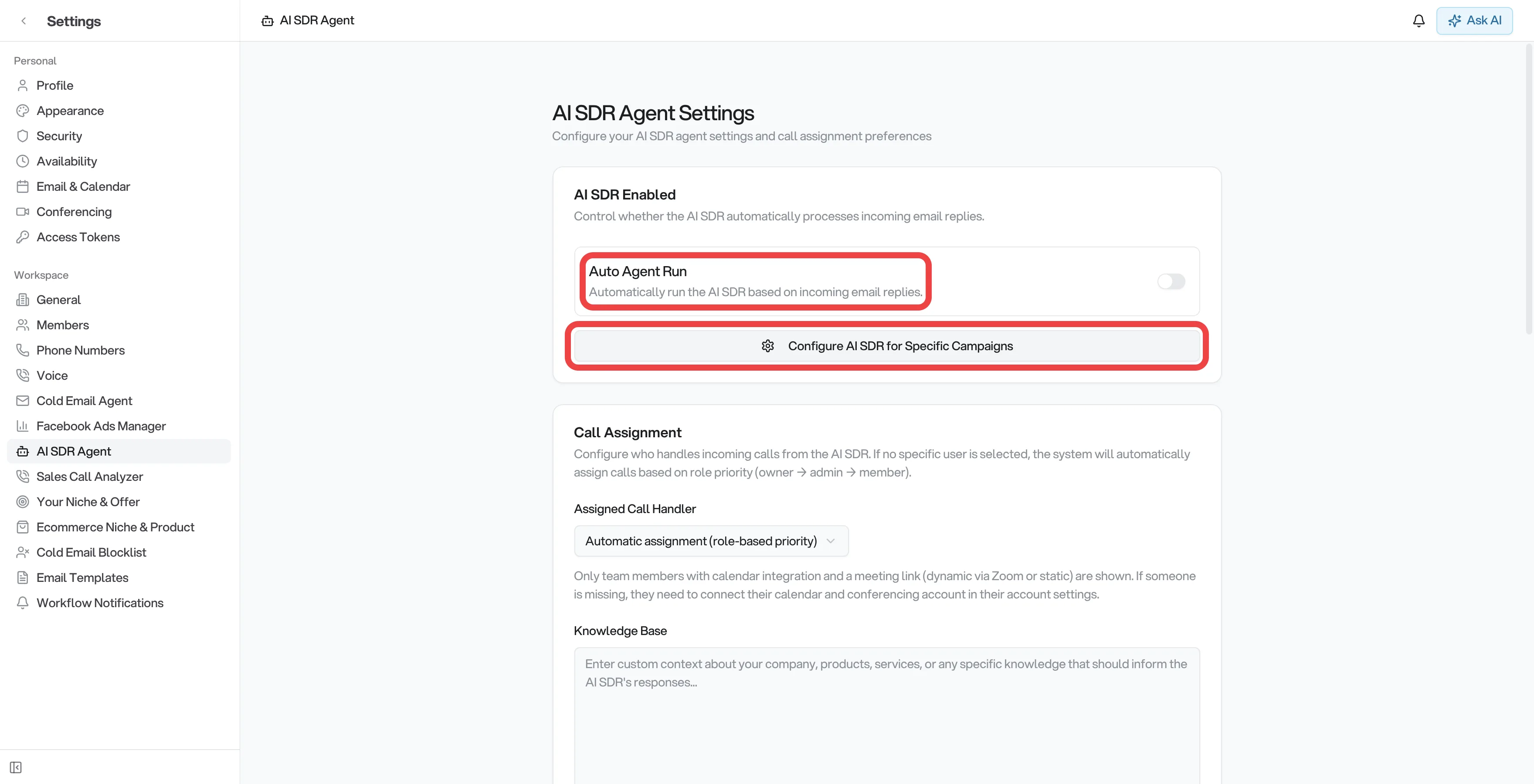
- Go to Settings → AI SDR Agent.
- The first card is AI SDR Enabled. Make sure Auto Agent Run is toggled on.
- If it is off, all campaigns are affected - no leads will receive automatic AI replies.
Check per-campaign toggles
Even when the workspace toggle is on, individual campaigns can have AI SDR disabled:
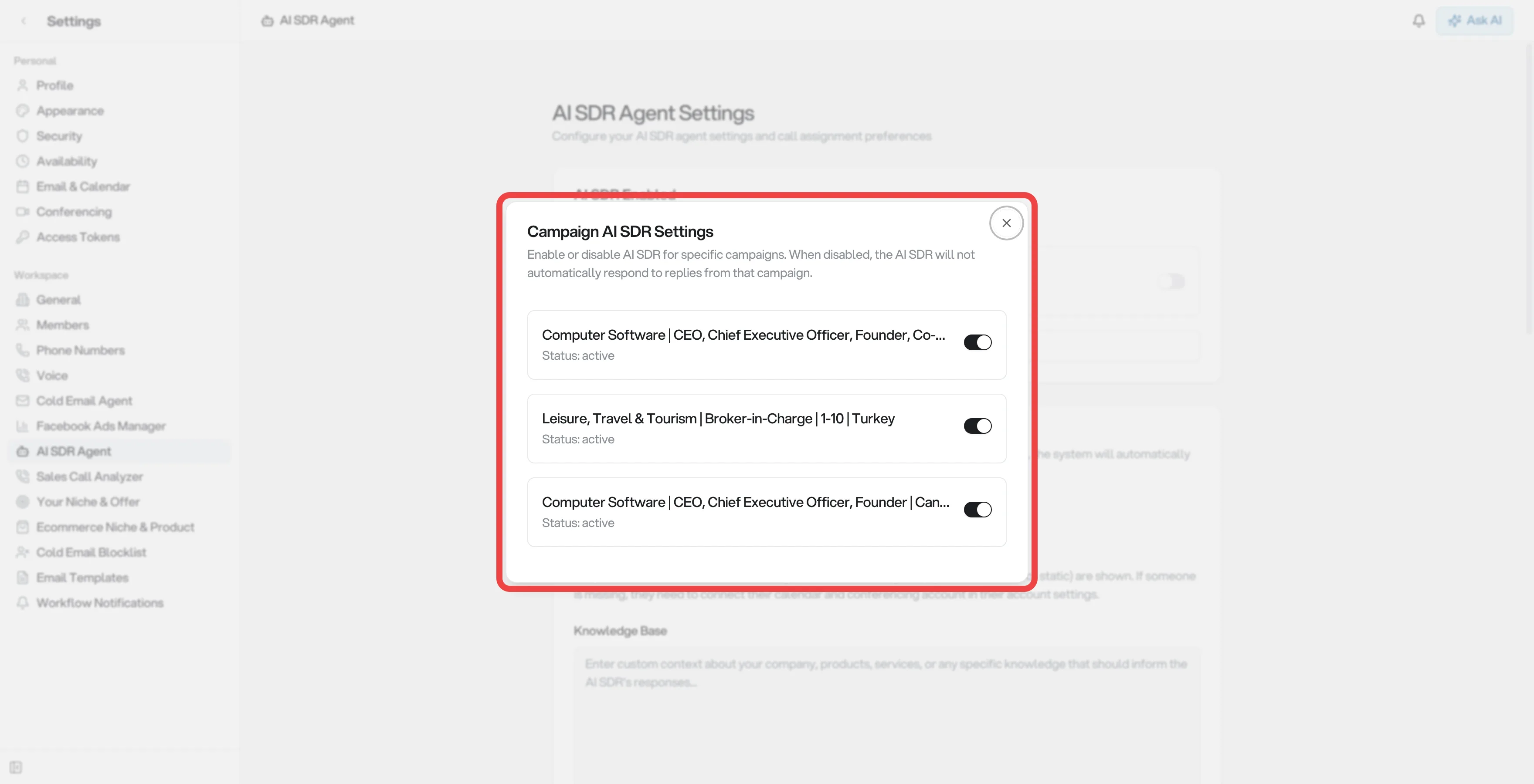
- On the Settings → AI SDR Agent page, click Configure AI SDR for Specific Campaigns.
- A popup opens showing all your campaigns with an on/off switch for each.
- Make sure each campaign you want the AI to handle is toggled on.
Check individual threads
If only some threads show "AI SDR Disabled" while others in the same campaign work normally:
- Open the affected thread in the AI SDR Inbox.
- Look for AI SDR Disabled at the top of the thread. If the thread is escalated, look for Resume AI SDR instead.
- Click the applicable button to re-enable automation. The button changes to Disable AI SDR when the AI is active.
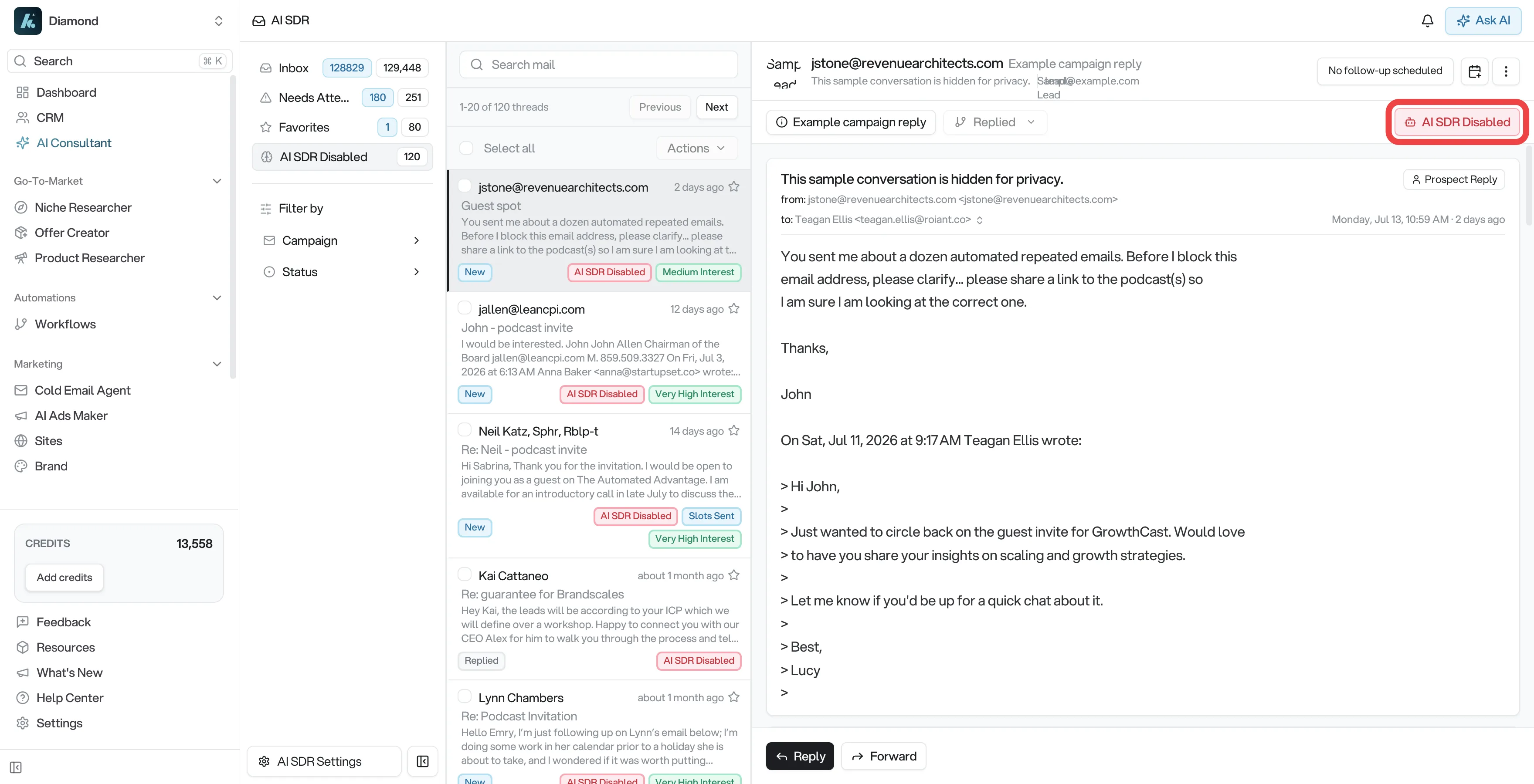
A thread switches to AI SDR Disabled as soon as you send a reply yourself from the inbox. You don't have to click anything. It also happens if someone clicks Disable AI SDR. See How do I re-enable the AI SDR after a human takeover? for more details.
Summary
| Level | Where to check | What to do |
|---|---|---|
| Workspace | Settings → AI SDR Agent → Auto Agent Run | Toggle on |
| Campaign | Settings → AI SDR Agent → Configure AI SDR for Specific Campaigns | Toggle on for each campaign |
| Thread | Open the thread → AI SDR Disabled or Resume AI SDR | Click the applicable button |